

How to Put a Passport in a Passport Holder the Right Way
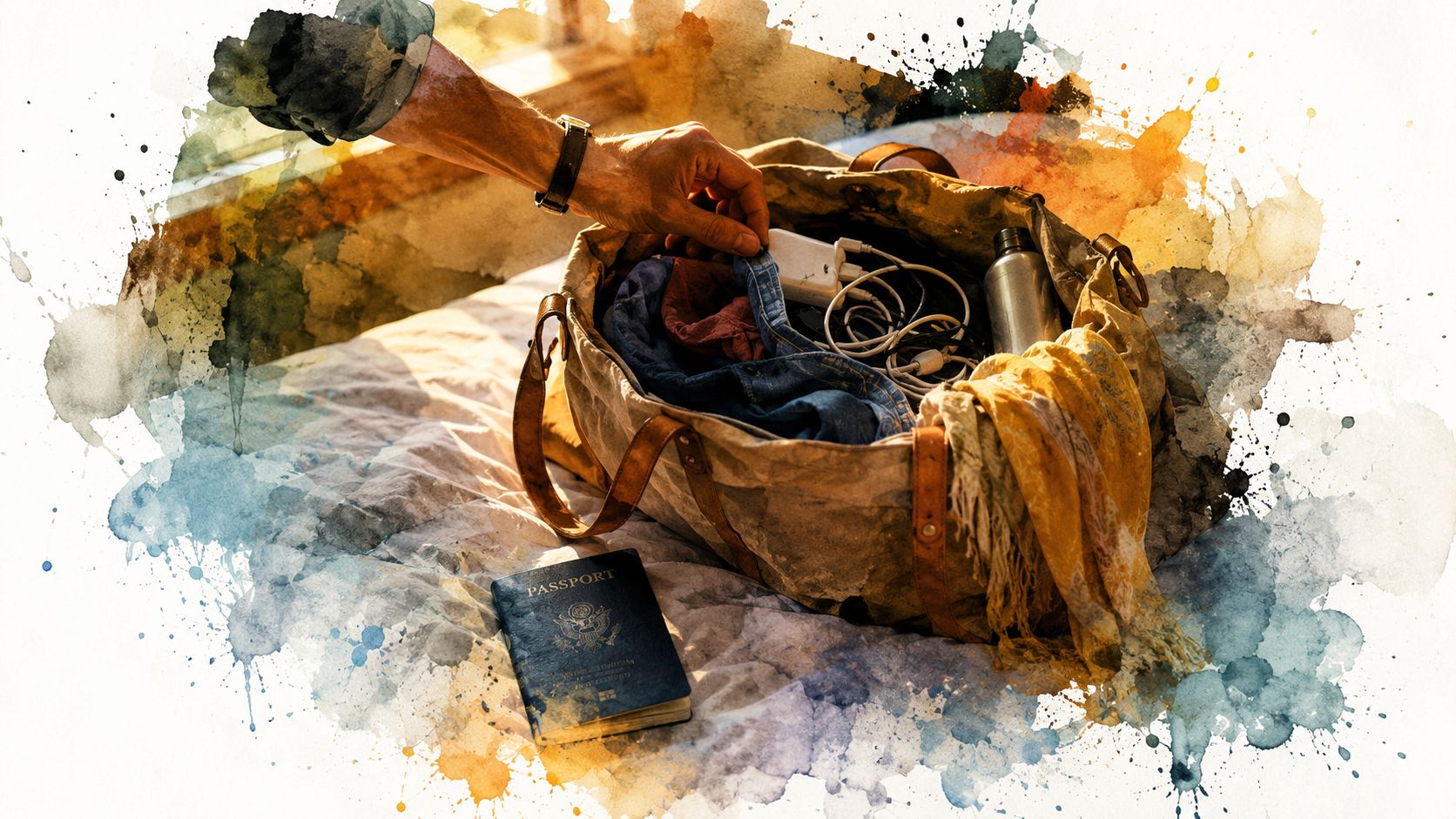
Your bag is packed, your taxi is nearly outside, and your passport is loose at the bottom of a tote beneath a charger, a lipstick, and yesterday's receipts. You slide it into a holder in a hurry, zip the case, and assume the job is done. It isn't. How to put a passport in a passport holder is really a question about protecting the booklet through every coffee shop, security queue, hotel check-in, and border inspection ahead.
The right holder should feel like a well-made stationery sleeve, not a clamp. It should protect the cover and binding, keep the biodata page visible, and leave the chip area free from damaging pressure. Use the method below before your next departure, whether you're choosing a practical travel accessory for yourself or assembling a polished gift for a frequent flyer.
Why Putting a Passport in a Passport Holder Matters
A passport isn't a notebook you can fold into a crowded pocket. It's a security document with a cover, stitched binding, biodata page, machine-readable zone, and, in an electronic passport, a contactless chip. Border authorities can treat visible tears, missing pages, loose binding, water damage, a cracked biodata page, or a damaged chip as serious document damage. Singapore's passport-damage guidance lists these conditions as reasons a passport may be unacceptable.
That makes the insertion moment the beginning of document care. A holder can stop a hotel key from scraping the laminate, keep corners from catching on a tote lining, and reduce the everyday bending that happens when a passport travels loose among electronics. It can also make the booklet easier to find, which is a small luxury when an officer is waiting and your travel companions are already through the gate.
Protection beats decoration
A passport holder may be stylish, but style is its least important assignment. The useful design keeps the booklet flat, avoids pressure on the spine, and doesn't hide the identity fields when you need to present them. If you're comparing formats, a dedicated CITYSHEEP passport holders collection offers a helpful reference point for seeing how different holder constructions organize the booklet and its supporting cards.
Practical rule: A passport should enter the holder without force and leave it without a bend.
The holder also needs to respect the document's inspection features. The photo, biodata fields, machine-readable zone, and chip-bearing cover must remain intact and accessible. A pretty case that pinches the hinge or forces the cover into a curve is not protecting anything. It's just making damage more convenient.
The Right Way to Insert a Passport Step by Step
Start with the passport, not the holder. Open the booklet around its middle pages and let it rest flat for a moment. This relaxes the spine and keeps you from wrestling with a stiff, closed cover while trying to fit it into a sleeve.
Open the holder completely and find the deeper back panel, usually the side with the stitched seam or main pocket. Keep the holder flat on a table, tray, or your palm. The passport's biodata page should face the holder's clear window or main viewing side, depending on the design.
Use this gentle sequence
- Open the booklet: Lay the passport flat around its middle pages. Don't crease it sharply or press down on the chip-bearing cover.
- Identify the back panel: Find the holder's deeper pocket. The passport's back cover belongs here.
- Align the edges: Match the passport's top edge with the top of the pocket. Keep the spine straight and make sure no page corners sit beneath a seam.
- Slide the back cover in first: Feed the back cover into the pocket, then allow the front cover to follow. The booklet should glide into place with light friction.
- Close the holder gently: Run a finger along the spine. A slight spring is fine. Bulging, buckling, or a sharply bowed spine means the fit is wrong.
- Check the viewing side: Confirm that the biodata page remains flat, legible, and properly positioned. The machine-readable zone and key identity fields shouldn't be hidden by stitching or a flap.
The motion should be quick because it's simple, not because you're forcing the booklet. For a visual refresher, watch the following demonstration after reading the sequence above.
If the passport catches, stop and remove it. Check for a folded page, an overfilled card slot, or a pocket that's too narrow. Repeated pressure is exactly the sort of ordinary handling that can stress a cover, binding, or chip area over time.
Sizing Rules That Guarantee a Safe Fit
A passport holder should protect the booklet without gripping it like a clamp. Modern passport booklets generally follow the ICAO TD3 passport standard, which specifies a closed size of 125.00 millimeters by 88.00 millimeters, or 4.921 inches by 3.465 inches. ICAO Doc 9303 identifies these dimensions as the baseline for the machine-readable passport book, while noting that the 88.0 millimeter dimension may increase when binding requires it.
Use those measurements as your starting envelope, then allow space for stitching, seams, card slots, and the thickness that develops through normal carrying. A holder that matches the dimensions exactly leaves no room for comfortable insertion or protects the binding poorly. Review the listed dimensions of a compact passport holder with card slots before buying, especially if you plan to carry cards beside the booklet.
The quick fit test
Place the passport inside the empty holder and check four points:
- Easy entry: The back cover slides into the pocket without scraping or buckling.
- Flat biodata page: The photo page stays smooth and fully readable.
- Unstrained spine: The binding remains straight when the holder is upright.
- Clean corners: No corner catches on stitching, lining, or a zipper.
A lightly snug fit works well; anything that requires both thumbs signals the wrong size. A loose holder causes its own trouble. The booklet shifts, pages curl, and the corners absorb more impact inside a bag.
Material changes the feel over time. Leather and some vegan leather holders may relax with use, while synthetic sleeves tend to retain their original shape. Construction matters more than texture. A holder that compresses the booklet can stress the cover, binding, biodata page, or chip area, even if its finish looks luxurious.
The practical rule is simple: match the holder to the 125 by 88 millimeter TD3 envelope, then allow room for the document's thickness and the holder's seams. If it fails the fit test on day one, choose another holder before weeks of travel turn a small sizing problem into passport damage.
Mistakes That Damage Passports Over Time
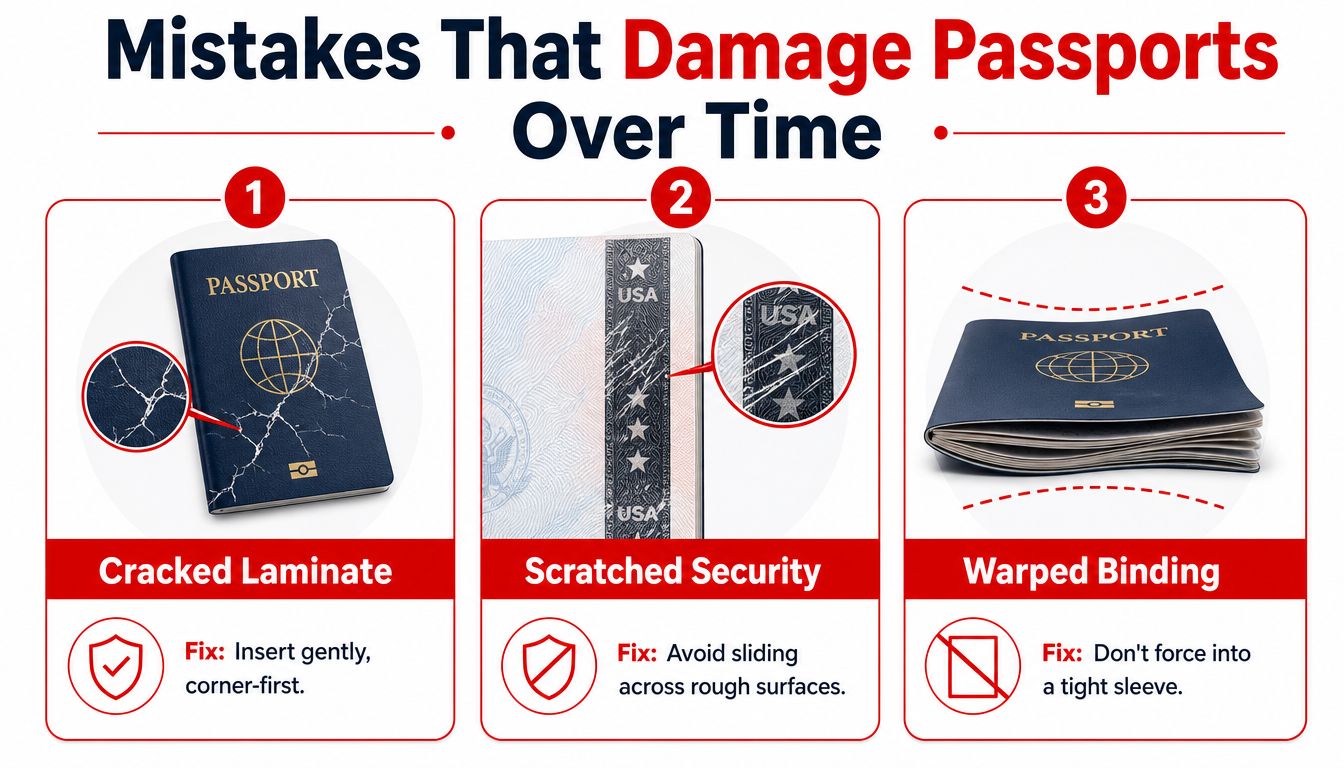
A snug sleeve isn't automatically a safe sleeve. In fact, travelers often damage passports through small, repeated habits rather than one dramatic accident. Official guidance from the U.S. Department of State on passport damage treats issues such as tears, detached pages, water damage, cracked biodata pages, and damaged chips as reportable damage.
Three habits to stop immediately
Force-feeding the spine. Pushing a closed passport spine-first into a tight pocket concentrates pressure on the binding and cover. Open the holder, align the booklet, and slide the back cover in first instead.
Stuffing the case. Boarding passes, coins, receipts, and hotel key cards don't belong between the passport and its holder panel. They create ridges and pressure points that can catch page corners or rub against the biodata page.
Compressing the closed holder. A zipped holder buried under a laptop, wedged into a side pocket, or sat on in a back pocket can warp the booklet. Carry it flat in a tote, jacket interior pocket, or a protected compartment where it won't bear body weight.
Airlines and border authorities check authenticity, validity, and whether your identity matches the document. IATA's guidance on document checks reinforces why a holder must never obscure the photo, machine-readable zone, or key identity fields.
A passport holder should reduce handling stress, not turn the document into a tightly packed parcel.
Prevention is the sensible bargain. If a passport develops a loose binding, missing page, damaged chip, or compromised biodata page, a holder won't repair it. Take the document out, assess the damage, and follow the issuing authority's replacement guidance before you travel.
Matching the Holder Style to Your Travel Style
The right holder depends on how you travel and what you need to carry alongside the passport. A frequent flyer who moves through crowded terminals has different priorities from a one-bag traveler who wants the lightest possible cover. Gift buyers should also consider whether the recipient prefers a refined folio, a compact sleeve, or a case with room for cards.
Compare the main formats
| Holder format | Best feature | Watch for | Ideal traveler |
|---|---|---|---|
| RFID-protective case | Adds a shielded layer around the chip area | The case must still release the passport easily for inspection | Frequent flyers and biometric-passport users |
| Padded leather or vegan leather folio | Offers structure, softness, and card organization | Too many filled slots can make the booklet bulge | Business travelers and gift recipients |
| Slim neoprene sleeve | Packs lightly and slips into a cube or small pocket | Minimal protection and little room for extra cards | Backpackers and one-bag travelers |
RFID protection can be useful, but it doesn't excuse poor fit. The passport still needs to sit flat, and you'll need to remove it from the holder at inspection points. The electronic passport chip is part of a document that authorities may test for readability, so avoid cases that press hard against the chip-bearing cover or make removal awkward.
A folio with card slots suits travelers who like one organized place for a room key, transit card, or boarding pass. Keep those slots restrained. A holder that becomes thick enough to bow the passport is carrying too much.
For a polished gift, coordinate the holder with the recipient's habits rather than choosing the most elaborate style. A slim sleeve works beautifully for a minimalist traveler, while a structured travel wallet suits someone who likes every document in its own compartment. Jolitee's personalized travel accessories guide is a useful source of gifting inspiration when you want the accessory to feel considered without becoming fussy.
What to Do at the Border Control Gate
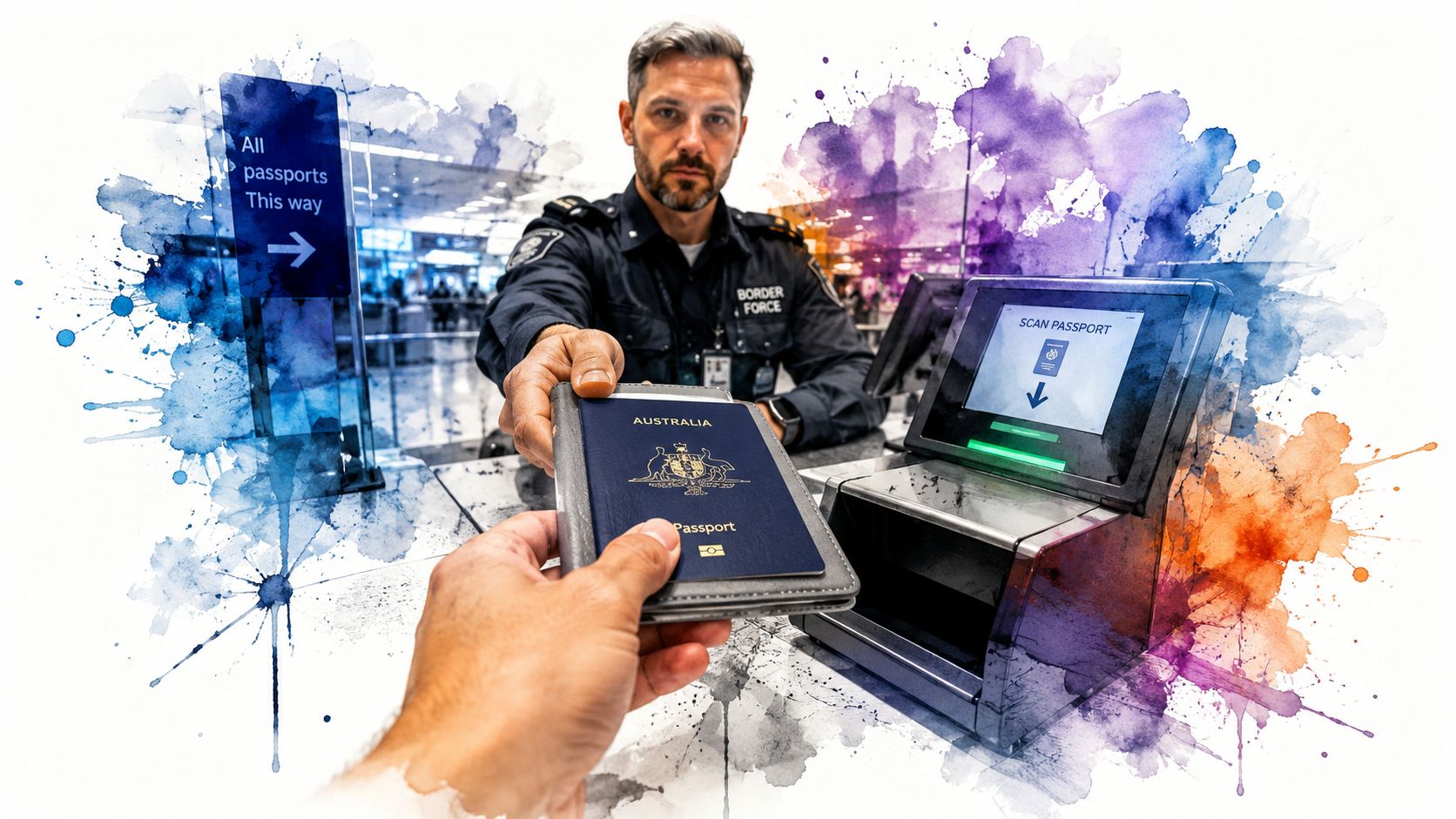
At border control, the holder becomes a temporary case, not part of the inspection. Open it flat before you reach the officer or eGate, then remove the passport by the back cover instead of yanking the booklet upward. That small movement protects the hinge and keeps the cover from bending at an awkward angle.
In the United Kingdom, travelers are told to remove the passport from its cover and open it to the photo page before reaching the officer or eGate. Heathrow's immigration guidance makes the sequence clear. Helsinki Airport gives similar instructions, telling travelers to remove the cover, place the passport in the reader, and leave it there until the gate opens, as explained in Finavia's automated border-control guidance.
A calm inspection routine
Keep the biodata page open and facing the reader or officer. Don't assume the holder's clear window is enough for an eGate, because automated readers are designed for the passport itself, not every possible case construction.
Hand over the passport directly and accept it directly. Keep the holder in your other hand or place it in a tray. Avoid touching the laminate with wet hands, sanitizer residue, or a coffee-stained thumb, particularly when you're moving quickly through a busy checkpoint.
Keep the holder closed while you're waiting in the photo line, and don't photograph the biodata page in transit. Once you've cleared the checkpoint, slide the passport back into the holder using the same back-cover-first motion. Before the next leg, return any cards to their proper slots and remove loose paper that could create pressure inside the case.
Shop the Look and Travel Ready
A well-packed travel accessory should feel edited, not stuffed. Before leaving home, run through this short checklist:
- Confirm the fit: The holder accommodates the TD3 passport envelope and doesn't bow the spine.
- Insert gently: Open the booklet, open the case, and slide the back cover in first.
- Keep slots lean: Carry only the cards you'll use.
- Protect visibility: Make sure the biodata page, photo, and machine-readable zone aren't hidden.
- Inspect the case: Look for compressed seams, stiff edges, or a lining that presses against the chip area.
- Recheck after travel: Remove the passport periodically and inspect the cover, pages, binding, and chip area for signs of stress.
For a coordinated gift, pair a passport holder with a luggage tag and a compact cable pouch. Add an enamel travel pin for personality, or choose a small toiletry accessory for someone who treats packing as a personal ritual. The result feels more generous than a single case and still stays practical.
You can also build a travel-and-hosting bundle for someone who loves entertaining at home as much as they love leaving it. A reusable canvas wine gift bag gives a dinner-party bottle a proper presentation, while hemstitch cocktail napkins bring a polished touch to the bar cart or guest table. For a broader boutique gift selection, browse Jolitee's entertaining accessories and gifts, where travel-ready practicality meets the brand's playful hosting style.
If you're organizing several small essentials, a stylish women's travel organizer can help keep cables, cards, and personal items separate from the passport itself. That separation matters. The passport should sit in its own protected compartment rather than competing with coins, chargers, and rough-edged objects.
A well-fitted holder is the first accessory a well-traveled guest reaches for, not an afterthought packed the night before.
Jolitee offers passport holders designed to keep the booklet secure, with card slots and an elastic closure for organized travel. Visit Jolitee to choose a travel case, then browse the entertaining collections for a gift pairing that makes the whole journey feel thoughtfully packed.